
How to enable Self Serve Returns & The EU Withdrawal Button
Returns are one of those things that quietly eat up more time than they should. Nobody wants them, nobody wants to deal with them and there’s an (understandable) fear the making it too easy for customers to do returns will result in more returns.
If you’re selling into the EU though that does now have to change, there's a legal requirement coming into force this month that you have to act on. The good news is Shopify's self-serve returns feature makes compliance that little bit easier.
What is ‘self serve returns ‘
Self-serve returns lets customers request returns or cancel unfulfilled items directly from their order status page, without needing to contact you. It's free, built into Shopify, and available to all merchants.
You need to be on the ‘new’ customer accounts but enabling it is pretty quick to do, all you need to do is go to:
Settings
Customer Accounts
Turn on ‘Self-serve returns and cancellations’
Choose the types of requests you accept
Click on ‘return and cancellation rules’ to choose your return windows etc
How it works for customers
Customers can log in, or click on the link from their email to go to their order, and request a return by selecting the items they want to return, specifying a reason, and adding any additional notes.
How it works for you
In your Shopify admin, under Orders, there's a tab called Return Requests.
You can see all incoming requests and either approve or decline them. If you approve, you can upload a return label (Shopify's own or a custom one), or specify that no shipping is needed.
Once the item is back, you process the refund directly through Shopify.
You can control exactly when customers are and aren't eligible to request a return.
Return rules determine when customers can request returns and cancellations, and how return fees are applied.
Return rules apply to fulfilled items; cancellation rules apply to unfulfilled items.
You can set a default set of rules for your whole store, or create additional rules that apply to specific markets. If an order is past your return window, the "Request Return" button won't appear so customers can't request something they're not entitled to.
A couple of limitations worth knowing
Shopify only refunds to the original payment method.
If a customer wants store credit or a gift card, you'd need to handle that manually or use a third-party app.
The EU Withdrawal Button: A Legal Requirement from 19 June 2026
This one is time-sensitive.
From 19 June 2026, any store selling to EU consumers through an online interface must provide a prominent, two-step withdrawal function letting customers exercise their 14-day right of withdrawal.
A UK, US, or other non-EU store that ships to EU consumers has to comply.
What counts is whether a statutory right of withdrawal exists for the sale, and whether the contract was concluded online. In plain terms: if you take orders from EU customers on your website, this applies to you regardless of where your business is based.
Under EU consumer protection law, customers who purchase goods or services online have the right to cancel their purchase within 14 days of receiving the goods, without giving a reason.
This 14-day period is commonly known as the cooling-off period. This right has existed for years, what's new is the requirement to make it easily exercisable with a specific button on your storefront
The button must be permanently available throughout the entire withdrawal period.
It must be prominently displayed and easily accessible. Requiring customers to register or log in before accessing the withdrawal function is not permitted
What happens if you don't comply?
Two things, both bad.
Fines of up to 4% of turnover or 2 million euros for cross-border breaches.
And perhaps worse in practice: if you don't properly provide the function, the 14-day period can stretch to 12 months and 14 days, leaving orders cancellable for far longer than you'd expect.
Is Self Service Accounts EU Compliant?
In all honesty, we’re not sure as Shopify are not being explicit about this.
At face value it seems to tick all of the boxes but the biggest question mark we have is around the requirement to login to your customer account to initiate a return.
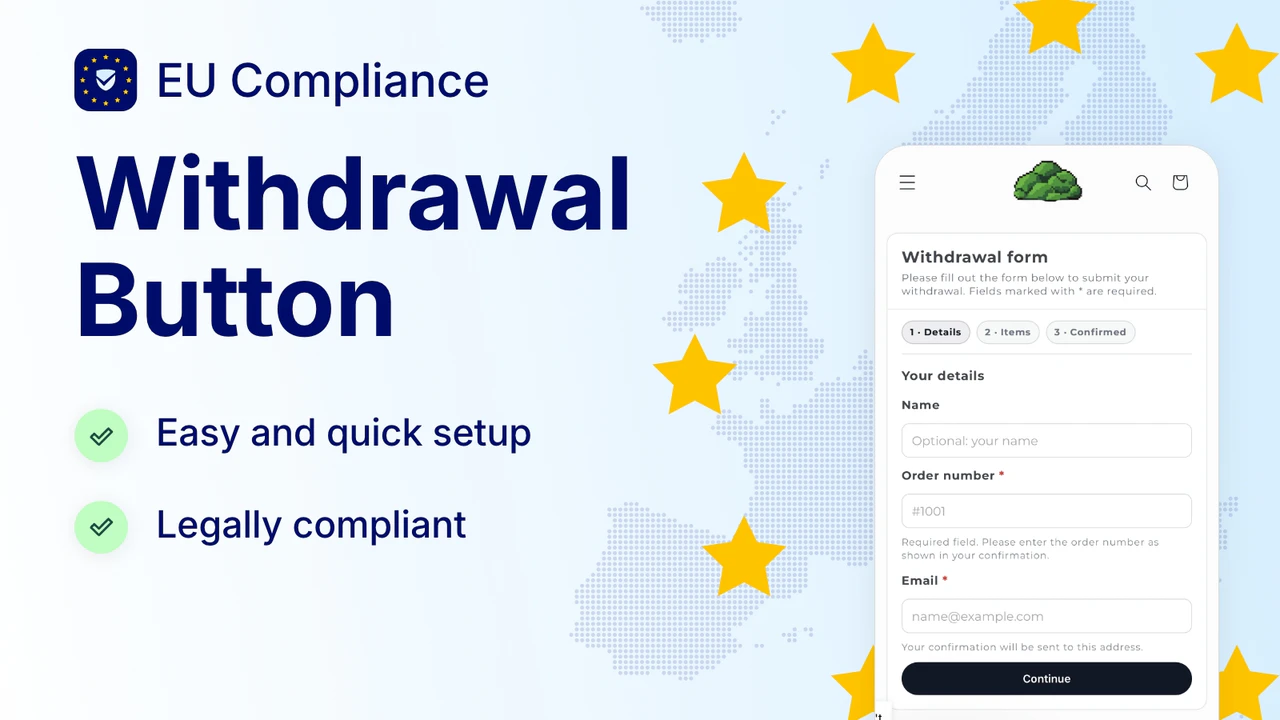
If you want to make sure you’re hitting the 2 step confirmation flow without the need for customers to login there are a few apps available that are designed for compliance with this new legislation:
Make it stand out
Whatever it is, the way you tell your story online can make all the difference.
Revoq
This app looks to be a great solution, it already has a number of good reviews and has a generous free tier.
https://apps.shopify.com/eu-withdrawal-form
Note - You need to confirm compliance yourself for all of the information provided within this article.
Any advise given by Squashed Pixel is not legal advise and Squashed Pixel are not liable for any non compliance claims or issues.
Further resources can be found here.
As always, if you want help making sense of any of this for your specific store, we're here.
Whether it's a quick chat or a proper deep-dive into what these updates mean for your brand, just Get in touch.