
Why POS Rollouts Fail Without Change Management
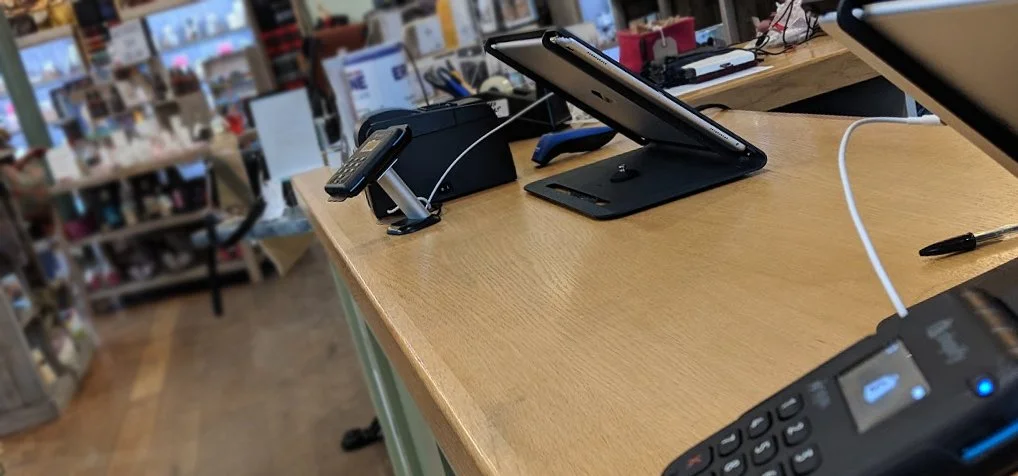
You've picked the system. The hardware's ordered. The go-live date is in the diary.
And then it lands. The team behind the counter, the ones who'll actually use it every day, find out about the change a week before it happens. Or worse, on the day.
This is where most Shopify POS rollouts fall apart. It’s not because the technology is wrong, but because the people side of things got left until last.
At Squashed Pixel we've been installing and supporting Shopify POS systems in retail environments since 2013 across shops, supermarkets, breweries, pop-up shops, and for mobile sales teams. The pattern is almost always the same: when rollouts go smoothly, it's because someone thought about the people as much as the tech.
The real risk isn't the technology
Shopify POS is intuitive by design. Touchscreen, visual, built for busy people in busy environments. The learning curve for the software itself is usually short, the harder part is everything around it.
Staff who've used the same system for years have muscle memory. They know exactly where things are and they've built workarounds for quirks that nobody else even notices. Replacing that overnight, even with something objectively better, creates resistance. That's natural, change is uncomfortable, and acknowledging that upfront is the first step to managing it well.
Its starts before the hardware arrives
The best Shopify POS rollouts we've been involved in share one thing in common: the team were involved, they knew what was coming, why it was happening, and what it meant for their day-to-day once it arrived.
That doesn't mean a company-wide presentation or a 40-page training manual. It means a conversation and asking the right questions. The more you understand the work arounds, the quirks and their reasoning, the easier it is to ensure the new system ticks all boxes from day 1.
Tell them what's changing and what isn't. Explain why it's happening – and be specific. "We're upgrading to keep stock in sync between online and in-store" lands differently than "we're modernising the business." One gives context. The other sounds like corporate filler.
If there's a go-live date, share it early enough that people can mentally prepare. If things are going to look and feel different at the till, say so. The more your team understands the "why," the less the "what" feels like a threat.
Training isn't a one-off event
One of the most common mistakes we see is treating training as a single session. A 45-minute walkthrough on the morning of go-live, then everyone's expected to crack on.
It doesn't work. People absorb information differently, at different speeds, and under different pressures. Even if you’re replacing a complex system with something simpler. The person who picks it up in five minutes isn't the same as the person who needs a full shift to feel confident. Both are fine. But only if the training plan accounts for it.
What works better is layered training that’s relevant to their role. Start with the basics – taking a payment, processing a return, opening and closing the till. give them hands on time with the system and let them get comfortable with the core actions before introducing anything more advanced. Stock takes, reporting, managing cash floats – does everyone need to understand these? Keep the training specific and relevant to each person’s role. It’s avoids people feeling overwhelmed and keeps them focussed on the bit’s that matter to them.
Nobody learns a till system from a slide deck. Hands-on, in the actual shop environment, with real products and real scenarios – that's what sticks.
Nominate a champion (or two)
Every team has someone who picks things up quickly and is happy to help others. Find that person. Give them slightly more in-depth training. Make them the go-to for questions in those first few weeks.
This does two things. Firstly, it reduces the pressure on whoever is managing the rollout. Secondly, it gives the wider team someone approachable to ask who’s accessible then and there, not tied behind an email or ticketing system.
We've seen this make a real difference. When there's a trusted colleague who can say "yeah, I got confused by that too – here's how it works," the whole team relaxes.
Plan for the messy middle
There's a window, usually the first one to two weeks, where things feel slower. Transactions take a bit longer. Someone forgets how to apply a discount. The barcode scanner does something unexpected.
This is normal. It's not a sign that the system is wrong or that the rollout has failed. It's just the messy middle that every change goes through. The key is to plan for it rather than panic through it. Schedule extra cover on the shop floor for the first week if you can. Have someone available to troubleshoot. Set expectations internally that things might take a little longer at first.
The brands that sail through this phase are the ones who treat it as part of the plan, not an interruption.
Don't forget the back office!
A POS change doesn't just affect the shop floor. It changes how stock is managed, how reports are pulled, how end-of-day reconciliation works, and how online and in-store data flows together.
One of the real strengths of Shopify POS is that it keeps your in-store and online inventory in sync automatically. But that only works well if whoever manages inventory, fulfilment, or customer data understands what's changed too. Not the technical detail, but the operational reality: where does this data live now? Where is the z-report? Do we need a z-report. How do I find what I need? What's different about the daily routine?
It's easy to focus all the energy on the team behind the counter because they're the most visible. But the back office is where broken processes quietly compound into bigger problems.
Systems are only as good as the processes around them
This might be the most overlooked part of any POS rollout.
A new system is a chance to clean up how you do things. Not just to replicate old processes on new hardware, but to actually ask: is this the best way to handle returns? Are we doing stock takes often enough? Is our end-of-day process as tight as it should be?
We've seen brands move from handwritten counter books and manual stock-taking to Shopify POS, and the biggest unlock wasn't the technology itself. It was that the move forced them to formalise processes they'd been winging for years.
If you're going through a POS change, take the opportunity to tighten up the processes around it. Document them simply. Make sure everyone knows the agreed way of doing things. It'll save you time, reduce errors, and make the whole system more valuable.
Ongoing support matters more than you think
The go-live isn’t the finish line. It's the starting line.
Questions come up in week three that nobody thought to ask in week one. A seasonal hire starts and needs onboarding. A firmware update changes a small workflow. Someone discovers a feature they didn't know existed.
Having a clear support path, whether that's internal documentation, an external partner, or even just a shared FAQ document, makes a real difference to long-term adoption.
The goal isn't just to get the system installed. It's to make sure the team is still confident using it six months later.
Where to start
If you're planning a Shopify POS rollout or you've already been through one that didn't land as smoothly as you'd hoped – here are the questions worth asking:
Does the team know what's changing and why?
Have you given them enough time to prepare?
Is there a training plan that accounts for different learning speeds?
Do you have a champion on the shop floor?
Have you planned for the messy first couple of weeks?
Does the back office know what's different for them?
Are your processes documented, not just your system?
The technology is the easy part. Getting people comfortable, confident, and bought-in is what makes a rollout stick.
We've been helping brands install, train, and support Shopify POS since 2013.
If you're thinking about making the switch, or you need help getting an existing setup working properly for your team, Get in touch.